 blog
How to Choose Smart Home Tech for Aging in Place
Last Updated: November 4, 2026
Quick Summary
Choosing the best smart home technology for aging in place starts with the house itself: test Wi-Fi coverage, check outlets, measure doorway widths, and name one person to manage accounts. Then buy Matter-certified devices, beginning with a voice assistant, fall detection, and motion-sensor lighting.
- Test Wi-Fi signal in the bedroom, bathroom, and basement before buying any device.
- Buy Matter-certified products so devices from different brands work together.
- Place indoor cameras in shared spaces only, never bedrooms or bathrooms.
- Pair video monitoring with a wearable or motion alert so someone is actually notified.
- Budget for structural work first, since devices cannot fix a slippery floor or high tub wall.
Table of Contents
- What to Consider Before Installing Smart Home Technology for Aging in Place
- Best Smart Home Devices for Seniors: Safety, Lighting, and Voice Control
- Devices for Seniors Living Alone: Fall Detection and Emergency Response
- Best Video Monitoring System for Elderly in the Home
- Aging-in-Place Bathroom Modifications That Work With Smart Tech
- Interoperability and Ecosystem Compatibility: Making Devices Talk to Each Other
- Cost-Benefit Planning for Fixed Incomes and Local Resource Integration
- Request a Free Consultation for Aging-in-Place Upgrades
- Frequently Asked Questions
What to Consider Before Installing Smart Home Technology for Aging in Place
Aging in place is the practice of equipping a home so an older adult can live there safely and independently as their needs change. Choosing the best smart home technology for aging in place starts with the wiring and layout of the house itself, not the gadget catalog. When planning aging-in-place upgrades, the same three questions tend to come up first: where is the Wi-Fi weakest, which doorways and bathrooms need work, and who will help when a device misbehaves.
Before you buy a single sensor, check these four things:
- Connectivity: Test Wi-Fi signal in the bedroom, bathroom, and basement. Dead zones break every device that depends on them.
- Power and outlets: Smart hubs, cameras, and routers need reliable power, and older homes often have too few outlets in the right places.
- Doorway and hallway width: A device is only useful if the person using a walker or wheelchair can reach it.
- One helper, one account: Name the family member or caregiver who will manage logins and updates.
Watch out: buying devices from several different brands before checking compatibility is a common mistake. You can end up with multiple apps, multiple passwords, and no easy way to link them.
Interoperability matters more than any single feature. The Connectivity Standards Alliance, which publishes the Matter standard explains how Matter-certified devices are designed to work across brands. Buy Matter-certified products where you can, and the rest of this guide gets much simpler.
Best Smart Home Devices for Seniors: Safety, Lighting, and Voice Control
The most useful smart home devices for seniors fall into four groups: voice assistants, smart lighting, smart locks, and environmental controls. A voice-controlled assistant is the anchor. It lets someone turn on lights, lock a door, or call a family member without crossing a room.
Smart lighting matters most along the path from bed to bathroom. Motion sensors that switch on a low hallway light at night reduce stumbles without anyone fumbling for a switch. Automated window shades help with glare and heat, and smart plugs turn a lamp or coffee maker into something controllable by voice.
Smart locks and keyless entry deserve a mention for caregivers. A code-based lock means a visiting nurse or adult child can get in without a hidden key under the mat.
A home safety assessment should come before any purchase. Walk each room and note where the resident already hesitates. That hesitation is your shopping list.
If you want a structured way to confirm nothing is missed, our aging in place home modification checklist covers the room-by-room items worth reviewing before devices go in.
Devices for Seniors Living Alone: Fall Detection and Emergency Response
Fall detection and an emergency response system are the two devices that matter most for someone living alone. A wearable button pendant or a smartwatch with fall detection can summon help when a phone is out of reach. Pair it with a motion sensor that flags unusual stillness, and you have two layers of protection.
Medication adherence is the quiet problem. Automatic pill dispensers and smart reminders help, but they only work if the schedule is set up correctly on day one. Set it up with the person, not for them.
Activity tracking adds context. A sudden drop in daily movement is often the first sign something changed. Remote monitoring lets family check in without calling every hour.
What most guides miss is the human layer. A device that alerts a call center is only as good as the local contacts listed in the account. Make sure a nearby neighbor or family member is on that list.
Best Video Monitoring System for Elderly in the Home
The best video monitoring system for an elderly parent is one that respects privacy while still catching emergencies. That balance is set by three decisions you make before you buy anything: where cameras go, how footage is stored, and who can view it.
Placement. Indoor cameras belong in shared spaces only, never the bedroom or bathroom. The practical pattern most families land on is a camera in the main living area, one covering the path from bedroom to bathroom, and a video doorbell at the front entrance.
Storage. There are two models, and the choice affects both privacy and ongoing cost. Local storage keeps footage on a microSD card or a home recorder, so nothing leaves the house, but a caregiver cannot review it remotely unless the system supports secure remote access. Cloud storage makes remote review easy but means footage sits on a company's servers.
Access and consent. A common mistake is installing cameras without a conversation. Agree on which rooms are covered and who can view the feed, and write it down. Many systems let you set separate viewer accounts, so a sibling can check in without full administrative control.
Data privacy deserves real attention here. The Federal Trade Commission's guidance on connected devices and privacy explains what companies should disclose about the data their devices collect, and it is worth reading before you connect cameras or health monitors to a home network.
Watch out: a camera pointed at a hallway can capture a fall, but it cannot summon help on its own unless it is tied to a monitoring service or an alert that reaches a person.
Aging-in-Place Bathroom Modifications That Work With Smart Tech
The bathroom is where smart devices and structural work have to cooperate. A smart device cannot fix a slippery floor or a tub wall that is too high to step over. That is why bathroom modifications and device placement are best planned together.
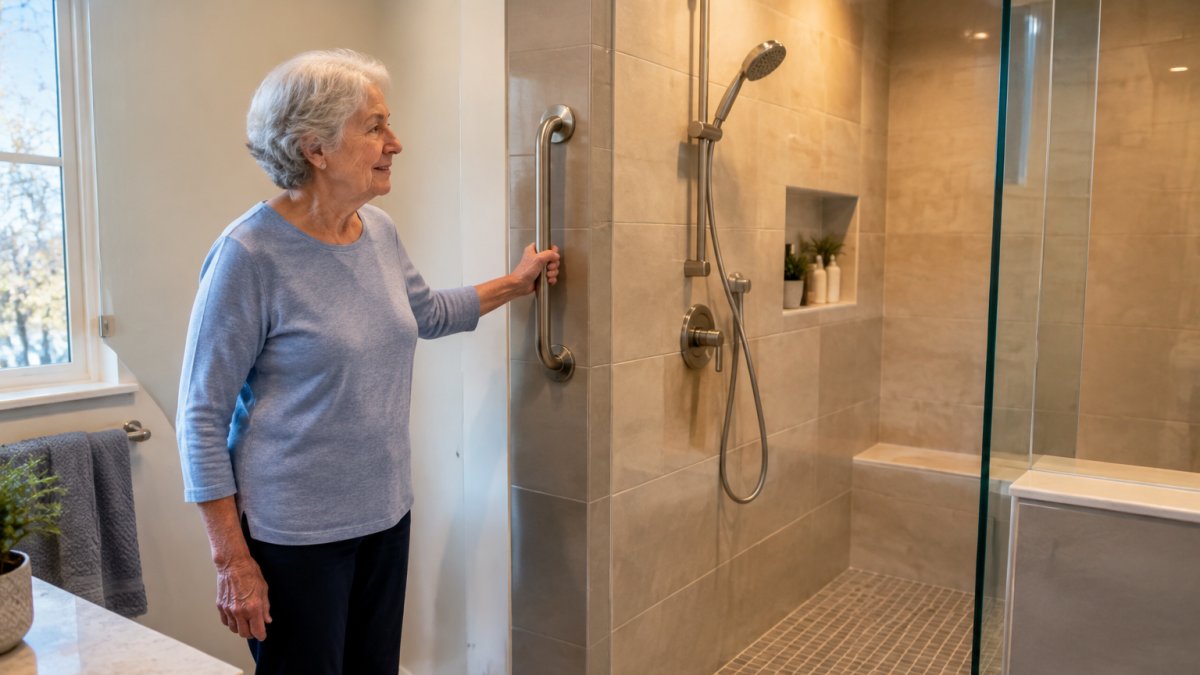
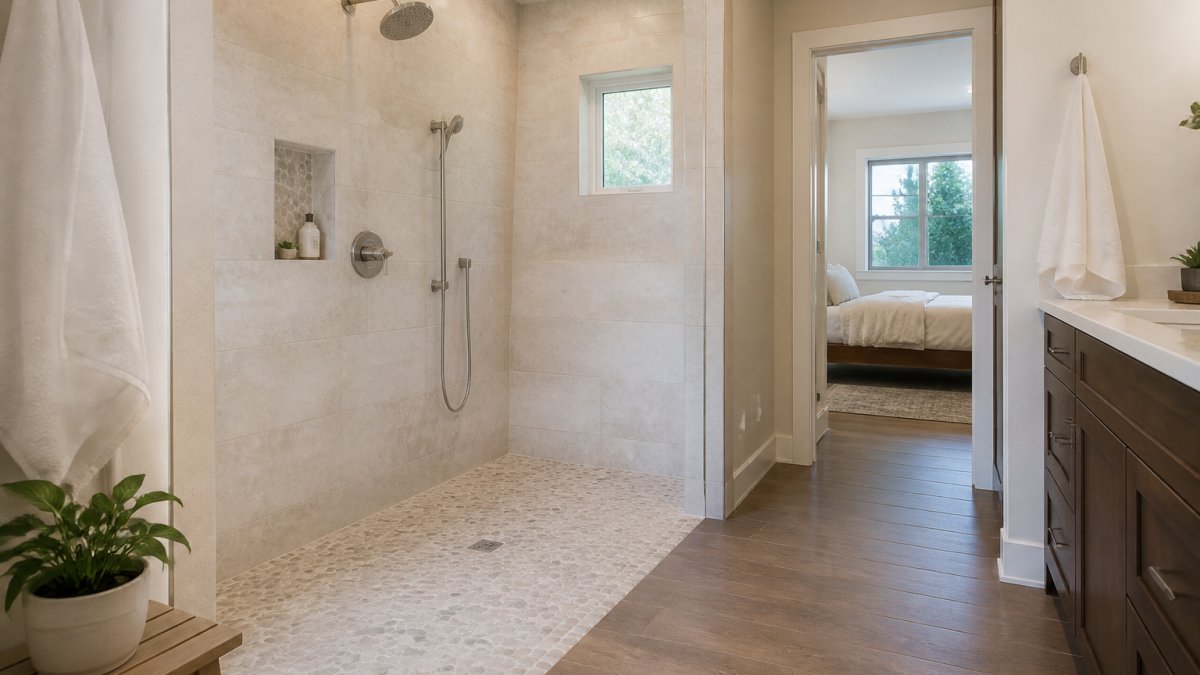
A combination that works well for many homes: a walk-in shower with a low curb, grab bars anchored into blocking inside the wall, a handheld showerhead on a slide bar, non-slip flooring, and good lighting on a motion sensor. Smart leak detectors near the toilet and under the sink can add another layer of protection.
Watch out: grab bars screwed into drywall without blocking behind it can pull out under real body weight. Blocking is best installed during the remodel itself.
For a closer look at the safety details that pair well with smart devices, our guide to aging in place bathroom safety tips walks through the layout decisions.
Interoperability and Ecosystem Compatibility: Making Devices Talk to Each Other
Interoperability is the difference between a smart home and a drawer full of abandoned gadgets. Devices that share a standard can trigger each other: a motion sensor turns on a light, a door sensor sends an alert, a voice command locks the front door. Devices from separate ecosystems usually cannot.
We group compatibility into three levels:
- Same brand: easiest to set up, hardest to expand later.
- Same platform: a hub that supports many brands, with one app.
- Open standard: Matter or a similar standard, so brands mix freely.
The third level is where most families should aim. It costs a little more upfront and saves years of frustration.
The Federal Trade Commission's guidance on connected devices and privacy is worth reading before you connect cameras or health monitors to a home network.
Cost-Benefit Planning for Fixed Incomes and Local Resource Integration
Households on fixed incomes need to separate one-time structural work from ongoing device costs, because the two behave very differently. Structural changes, like grab bars with proper blocking, a low-curb shower, or wider doorways, are paid once and last for years. Devices carry subscription fees, replacement cycles, and setup time that recur.
A simple planning table helps:
| Priority | Type | Why It Comes First | Ongoing Cost |
|---|---|---|---|
| Bathroom safety | Structural | Prevents the most common injury at home | None |
| Fall detection wearable | Device | Summons help when alone | Monthly service fee |
| Smart lighting on motion | Device | Reduces night-time stumbles | None after purchase |
| Video doorbell | Device | Screens visitors safely | Optional cloud storage |
| Medication dispenser | Device | Supports adherence | Refill and service fees |
The subscription trap. The purchase price is only part of the story. Fall-detection wearables, medical alert services, and cloud camera storage often bill monthly, and those charges can continue for as long as the device is in service. Before you commit, ask three questions: Is there a contract term, and what is the cancellation policy?
DIY versus professional installation. Some devices are genuinely plug-and-play: a smart plug, a voice assistant, a video doorbell that mounts on existing doorbell wiring. Others, like smart locks that must fit an existing deadbolt, motion sensors wired into lighting, or leak detectors placed under sinks, are easier and safer when installed as part of a larger project.
Local resource integration. This is the piece most national guides skip. In New Jersey, county Offices on Aging and local senior services can point families toward programs and support. Ask your county office what is available before you assume the full cost is yours.
For financing options, our article on how to finance home accessibility renovations lays out the paths families commonly use. The key is to plan the structural work and the device budget together, so the project happens in the right order and no purchase is stranded by a later renovation.
Request a Free Consultation for Aging-in-Place Upgrades
The hardest part of this project is not picking devices. It is coordinating the structural work, the wiring, and the device setup so they happen in the right order.
PIONEER WOODWERX is a veteran-owned general contractor serving Central New Jersey. We specialize in aging-in-place remodeling alongside bathroom renovations, kitchen work, and basement remodeling, and we aim to provide dependable project management from the first consultation through final installation. If you are looking for aging-in-place remodeling in Central New Jersey, we would be glad to walk your home with you.
Ready to plan the work? Request a free consultation and we will map out what your home needs, in what order, and what it will take to get there.
Frequently Asked Questions
What is the best smart home device for seniors?
There is no single best device. A voice-controlled assistant such as an Amazon Echo or Google Nest speaker is often the most useful starting point because it lets a senior make calls, set reminders, and control lights hands-free. Pair it with a video doorbell and smart locks for security, and add fall detection sensors if the person lives alone. The right mix depends on mobility, eyesight, and whether a caregiver needs remote monitoring.
What smart home devices can help an older adult living alone?
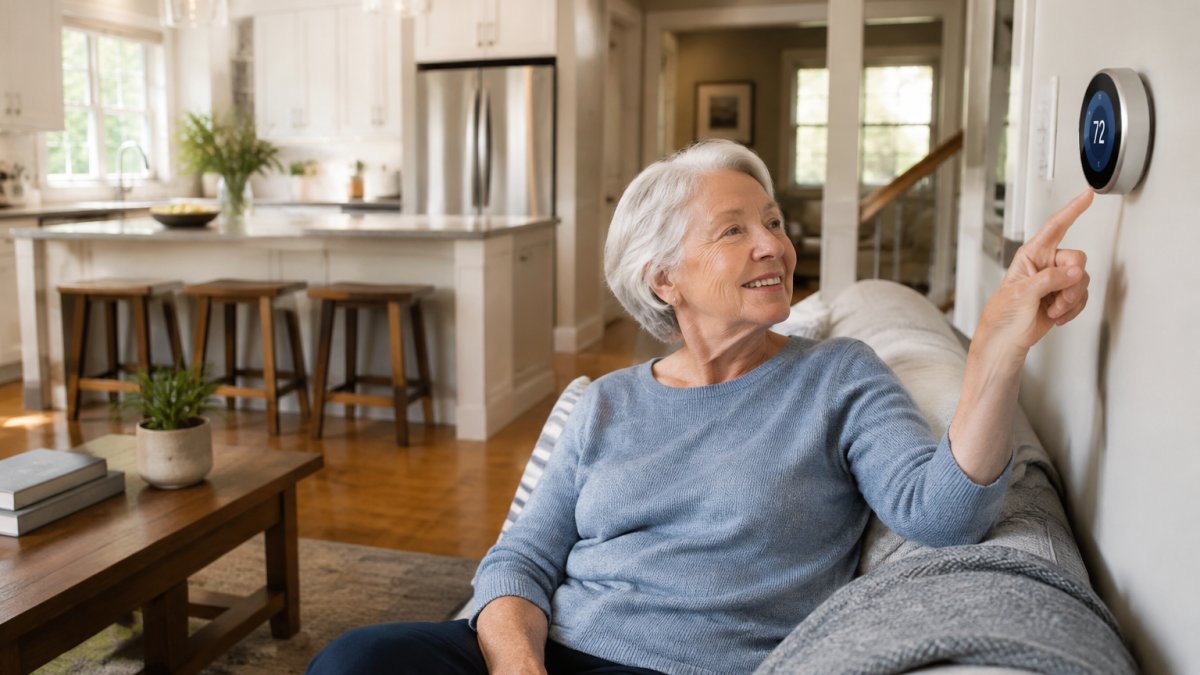
Key devices include a voice-controlled assistant, smart locks with keyless entry, a video doorbell, motion sensors, automated window shades, and a medical alert or fall detection system. Smart plugs can turn small appliances on and off remotely, and a smart thermostat keeps the home at a safe temperature. Choose devices that share one ecosystem, such as Amazon Alexa or Google Home, so a caregiver can check on the home from a phone.
What should you consider before installing smart home technology for aging in place?
Start with a home safety assessment that checks lighting, flooring, bathroom grab bars, and stair rails. Then confirm the home has reliable Wi-Fi and that the senior is comfortable using a smartphone or voice commands. Compare device compatibility, ongoing subscription fees, and data privacy settings. For fixed incomes, prioritize fall detection, medication reminders, and lighting first, then add video monitoring and smart locks as budget allows.
Can smart home technology make a bathroom safer for older adults?
Yes, when paired with physical modifications. Smart lighting with motion sensors reduces nighttime falls, and voice-controlled faucets or heated towel bars add comfort. But technology works best alongside aging-in-place bathroom modifications such as walk-in showers, grab bars, comfort-height toilets, and non-slip flooring. A contractor who specializes in aging-in-place remodeling can install both the structural changes and the wiring needed for smart devices.